
Paul McFedries
Author of The Complete Idiot's Guide to Creating an HTML Web Page
About the Author
Paul McFedries is the owner of Logophilia Limited, a successful technical writing firm. he has 25 years' experience writing instructional computer books and is the author of over 100 books that have sold a combined 4 million copies worldwide.
Works by Paul McFedries
Excel PivotTables and PivotCharts: Your visual blueprint for creating dynamic spreadsheets (2006) 33 copies
Excel 2016 Formulas and Functions (includes Content Update Program) (MrExcel Library) (2015) 15 copies
Networking with Microsoft Windows Vista: Your Guide to Easy and Secure Windows Vista Networking (2007) 12 copies
Excel Data Analysis: Your visual blueprint for analyzing data, charts, and PivotTables (2013) 11 copies
iPhone Portable Genius: Covers iOS 8 on iPhone 6, iPhone 6 Plus, iPhone 5s, and iPhone 5c (2014) 6 copies
Excel 2007 PivotTables and PivotCharts: Your visual blueprint for interpreting and presenting Excel data (2007) 6 copies
Microsoft Excel Formulas and Functions (Office 2021 and Microsoft 365) (Business Skills) (2022) 4 copies
Excel : tabele i wykresy przestawne : przewodnik po tworzeniu dynamicznych arkuszy kalkulacyjnych (2007) 1 copy
MySpace Visual Quick Tips 1 copy
Tagged
Common Knowledge
- Birthdate
- 1959-08-23
- Gender
- male
- Occupations
- computer programmer
- Nationality
- Canada
- Associated Place (for map)
- Canada
Members
Reviews

This is a book that should be recommended reading for everyone getting an Amazon Fire Stick for Christmas this year. From information on setting up a new Fire Stick or Amazon Cube TV to advanced instruction on voice activating commands, there is something to be learned in the Amazon Fire TV For Dummies book for the newbie and the experienced user.
I’ve had an Amazon Stick for several years and thought myself competent using it. The remote that came with the unit served for inputting show more programming search terms and for entering App usernames and passwords. Fortunately, I haven’t had a lot of login needs. In the first half of this book, the author introduced the Fire TV cell phone app and, in doing so, taught me how to handle search terms and my login input needs using the app’s keyboard. The app made search and logon information input quick and less painless. Whereas, doing the same tasks using the fire stick’s remote was time-consuming and torturous.
Having Echo devices throughout the house, I dare not say “Alexa” unless I intend to activate one of them. Therefore, voice commands using the Fire Stick’s remote do not interest me as you have to precede the command with “Alexa”. I, therefore, paid less attention to the chapters about Fire TV voice commands. Neglecting these chapters is not a bad thing since, in the book’s introductory, the author recommends, even encourages, you to skip around through the book to subjects that interest you or that you are most in need of at the time. I started doing just that after reading straight through the book’s first half as I found myself daydreaming as I got into chapters that were less relevant to me. Amazon Fire TV For Dummies isn’t a novel, it is designed to be a reference book. So, don’t feel compelled to read it fully and consecutively, review the index, and read the chapters that interest you at the time. You can then put it down and refer to it again when there is another feature you want to learn about. Thinking of ‘Amazon Fire TV For Dummies’ as a reference book makes it more likely that you’ll order it for your library. show less
I’ve had an Amazon Stick for several years and thought myself competent using it. The remote that came with the unit served for inputting show more programming search terms and for entering App usernames and passwords. Fortunately, I haven’t had a lot of login needs. In the first half of this book, the author introduced the Fire TV cell phone app and, in doing so, taught me how to handle search terms and my login input needs using the app’s keyboard. The app made search and logon information input quick and less painless. Whereas, doing the same tasks using the fire stick’s remote was time-consuming and torturous.
Having Echo devices throughout the house, I dare not say “Alexa” unless I intend to activate one of them. Therefore, voice commands using the Fire Stick’s remote do not interest me as you have to precede the command with “Alexa”. I, therefore, paid less attention to the chapters about Fire TV voice commands. Neglecting these chapters is not a bad thing since, in the book’s introductory, the author recommends, even encourages, you to skip around through the book to subjects that interest you or that you are most in need of at the time. I started doing just that after reading straight through the book’s first half as I found myself daydreaming as I got into chapters that were less relevant to me. Amazon Fire TV For Dummies isn’t a novel, it is designed to be a reference book. So, don’t feel compelled to read it fully and consecutively, review the index, and read the chapters that interest you at the time. You can then put it down and refer to it again when there is another feature you want to learn about. Thinking of ‘Amazon Fire TV For Dummies’ as a reference book makes it more likely that you’ll order it for your library. show less

I didn't know if I would learn a lot more about FB, since I have been on FB for a while now. However, this book is very comprehensive for different groups or topics that could be explored. It is especially valuable to a FB newbie who is starting out with a slow feed with few friends. Joining several groups of interest is a way to meet new people and enjoy reading while trying to locate friends and family. This book lists quality resources. This is not a gamer's resource, and that was why I show more liked it even more. show less
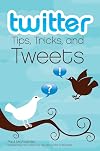
This book is wonderful for the new Twitter user, or someone considering Twitter, but as a seasoned Twitter veteran - so to speak - I found much of the information redundant and I had to force myself to not skip past many of the earlier chapters.
I did find a few things interesting: like a few of the sites mentioned in the last chapter, and the handy table of text commands (most of which I have to admit I wasn't even aware of) - and the tidbit that the same commands worked in the third party show more clients (I only knew d username message to send a direct message worked as such).
This book will be the most useful to someone who has either a) never pointed their browser to the Twitter site or b) has an account but only ever uses the site to update or check their timeline. Anyone else will be bored from most of the information given. show less
I did find a few things interesting: like a few of the sites mentioned in the last chapter, and the handy table of text commands (most of which I have to admit I wasn't even aware of) - and the tidbit that the same commands worked in the third party show more clients (I only knew d username message to send a direct message worked as such).
This book will be the most useful to someone who has either a) never pointed their browser to the Twitter site or b) has an account but only ever uses the site to update or check their timeline. Anyone else will be bored from most of the information given. show less
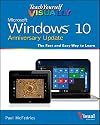
I love the visualness of it, and the explanations are fairly clear. But there's a *lot* that's not included.
You May Also Like


Statistics
- Works
- 185
- Members
- 2,090
- Popularity
- #12,309
- Rating
- 3.4
- Reviews
- 17
- ISBNs
- 515
- Languages
- 8
- Favorited
- 1