Help with posting images (maps and pictures) in threads
Talk 2014 Category Challenge
This group has been archived. Find out more.
Join LibraryThing to post.
1sallylou61
Hi,
I am responsible for setting up the October GeoCAT, and do not know how to include images, specifically a map of South America, into a thread. I had asked for help from someone who has posted many images, but was told to play around with it. However, I have tried several times, but been unsuccessful. I just do NOT understand what to do, and tried unsuccessfully to find instructions I could understand in the help section of LibraryThing. I am able to post URLs such as post 15 in the June RandomCAT (http://www.librarything.com/topic/174062), but not able to post the images themselves. Also, I'm able to see an image (the rose or a map of South America) as a separate screen on the web, but not able to transfer it into LibraryThing.
Is there someone who is willing to give me some simple instructions as to how to post images? Although I have used computers for many years, I am not a computer geek.
Thanks.
I am responsible for setting up the October GeoCAT, and do not know how to include images, specifically a map of South America, into a thread. I had asked for help from someone who has posted many images, but was told to play around with it. However, I have tried several times, but been unsuccessful. I just do NOT understand what to do, and tried unsuccessfully to find instructions I could understand in the help section of LibraryThing. I am able to post URLs such as post 15 in the June RandomCAT (http://www.librarything.com/topic/174062), but not able to post the images themselves. Also, I'm able to see an image (the rose or a map of South America) as a separate screen on the web, but not able to transfer it into LibraryThing.
Is there someone who is willing to give me some simple instructions as to how to post images? Although I have used computers for many years, I am not a computer geek.
Thanks.
2MarthaJeanne
I use the directions here: http://www.librarything.com/topic/177029
3christina_reads
When you find the image you want, you'll need to copy the URL (web address) of the image. The best way to do this is to save the image on your computer, then upload it to a photo site like PhotoBucket or Flickr. Alternatively, you could right-click on the image and select "Copy image address" or "Copy image shortcut." (This is the easiest way to get the URL, but it means you're placing an extra burden on the image host, which is not the nicest thing to do.)
Regardless, once you have the URL, then you can follow the instructions shared by MarthaJeanne above.
Regardless, once you have the URL, then you can follow the instructions shared by MarthaJeanne above.
4MarthaJeanne
You can also save the image to your member gallery here on LT.
5VivienneR
I don't have an account with Flickr or PhotoBucket, so this is how I post images:
1. Save the image to your computer.
2. Upload it to your member gallery (gallery or junk drawer) here on LT.
(If it's in the junk drawer it won't be seen by visitors to your profile).
3. Open the image in a separate window.
4: Copy the URL and paste it inside the quotation marks in this code:
{img src="PASTE URL HERE"}
If you want to change the size (width will adjust in ratio) use this code:
{img src="PASTE URL HERE"height=400} I used 400 just as an example of the typical size of an image at the top of a thread.
Important: My curly brackets { } are for demonstration only - replace them with pointy brackets.
1. Save the image to your computer.
2. Upload it to your member gallery (gallery or junk drawer) here on LT.
(If it's in the junk drawer it won't be seen by visitors to your profile).
3. Open the image in a separate window.
4: Copy the URL and paste it inside the quotation marks in this code:
{img src="PASTE URL HERE"}
If you want to change the size (width will adjust in ratio) use this code:
{img src="PASTE URL HERE"height=400} I used 400 just as an example of the typical size of an image at the top of a thread.
Important: My curly brackets { } are for demonstration only - replace them with pointy brackets.
6sallylou61
I'm still having trouble. I have managed to save a couple of different maps on my computer, but do not know how to upload them into my junk drawer (although I have found that I have a junk drawer). I also tried opening it in a new window, and puttin the URL in the pointed brackets as instructed in #4 of VivienneR's instructions above but they just stayed in that form instead of showing the map. Must I say either preview or post message to have the map appear?
I tried the experiment here to see if it would work.
I tried the experiment here to see if it would work.
7lkernagh
I am thinking that the easiest route for you might be to find an image you like on line (I found one at this URL location: http://www.worldatlas.com/webimage/countrys/samerica/satimesnew.png ) and then just use html coding to have the map display in your post.
For example: to make the map at the location above show up in your post, type the following:
{img height="500" src="http://tinasdynamichomeschoolplus.com/wp-content/uploads/2013/09/South-America-Unit-Study-Tinas-Dynamic-Homeschool-Plus.jpg"{/a}
and you should get something like this (remembering to replace the {} brackets with the pointy "greater than" and "less than" brackets):
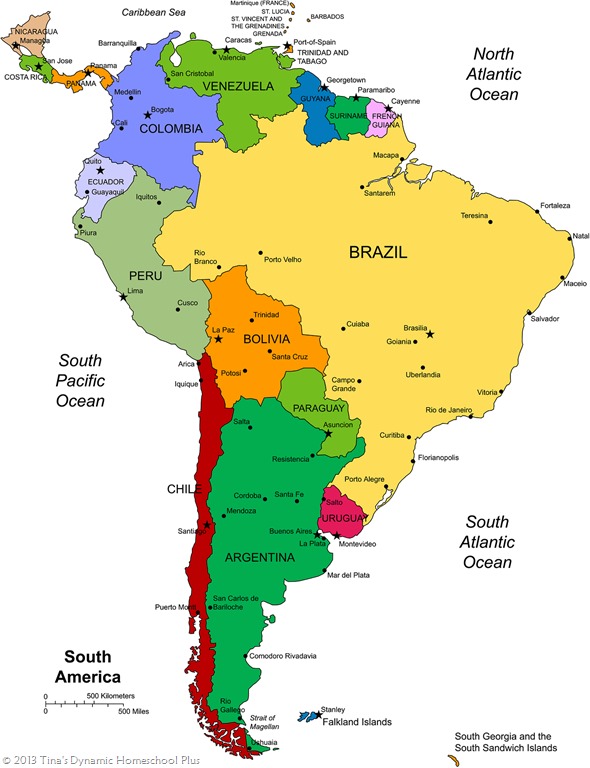
I added in the height="500" text because the image was a bit on the big size. you can play around with sizing images by increasing or decreasing the number in quotes.
Hope this helps!
For example: to make the map at the location above show up in your post, type the following:
{img height="500" src="http://tinasdynamichomeschoolplus.com/wp-content/uploads/2013/09/South-America-Unit-Study-Tinas-Dynamic-Homeschool-Plus.jpg"{/a}
and you should get something like this (remembering to replace the {} brackets with the pointy "greater than" and "less than" brackets):
I added in the height="500" text because the image was a bit on the big size. you can play around with sizing images by increasing or decreasing the number in quotes.
Hope this helps!
8sallylou61
Thanks to everyone for their help. I am going to stop for tonight; I'm worn out trying to do this. I think I understand the IMG SRG=URL address. I was able to put the roses in my post for June random CAT. I need to find the URL for a map of South America itself; I have found a number of maps but the URL seems to be for my search instead of the map itself.
http://www.washlaw.edu/Map/SouthAmerica.JPG
One last try:

I tried using the above URL following the IMG SRG=URL in the pointed brackets but it did not work
http://www.washlaw.edu/Map/SouthAmerica.JPG
One last try:

I tried using the above URL following the IMG SRG=URL in the pointed brackets but it did not work
9christina_reads
>8 sallylou61: Hmm, given that URL, I was able to get it to appear as a picture. Maybe you just need to update your internet browser? The image might not appear in an old version of Internet Explorer, for example.
10sallylou61
I just tried Post 8 in my own thread, and it worked okay. However, I don't like the clearness of the map; I think I will try to copy another one.
Thanks.
Thanks.

12VivienneR
>8 sallylou61: "I tried using the above URL following the IMG SRG=URL in the pointed brackets but it did not work
Was that a typo?
The correct code is IMG SRC="PASTE URL HERE" enclosed in pointy brackets. That's SRC, not SRG
Don't forget the quotation marks too (a mistake I made once).
Was that a typo?
The correct code is IMG SRC="PASTE URL HERE" enclosed in pointy brackets. That's SRC, not SRG
Don't forget the quotation marks too (a mistake I made once).
13DeltaQueen50
>8 sallylou61: I notice that you typed IMG SRG when it should be IMG SRC - perhaps that is what's going wrong with your picture.
ETA: I see Vivienne has also caught that.
ETA: I see Vivienne has also caught that.
14sallylou61
Thanks everyone for their help. I must have really been tired when I used SRG instead of SRC; I know that I was feeling tired and frustrated. Now I just need to figure out the complete URLs for alternative maps; I seem to finding either partial ones for the map but not the institution or for the institution but not the map. I found one -- see #11 above.
Also, it is always easier for me if I can see examples to follow; that's how I learned to post on the various wikis.
Also, it is always easier for me if I can see examples to follow; that's how I learned to post on the various wikis.
15sallylou61
http://wikitravel.org/en/File:Map_of_South_America.png

http://en.wikipedia.org/wiki/Amazon_River#mediaviewer/File:Amazonrivermap.png

Does anyone know -- is png a type of file that the formula IMG SRC="PASTE URL HERE" does not work with?
As you can see, I have a lot to learn
IMG SRC="PASTE URL HERE"
How to do it:
Instead of copying what appears in your browser's address bar at the top (http://en.wikipedia.org/wiki/Amazon_River#mediaviewer/File:Amazonrivermap.png), you need to right click on the picture and choose "copy image location" which is this URL: http://upload.wikimedia.org/wikipedia/commons/8/80/Amazonrivermap.png
{IMG SRC="http://upload.wikimedia.org/wikipedia/commons/8/80/Amazonrivermap.png" HEIGHT="600"}
Thanks to Eliz_M for telling me how to do this.
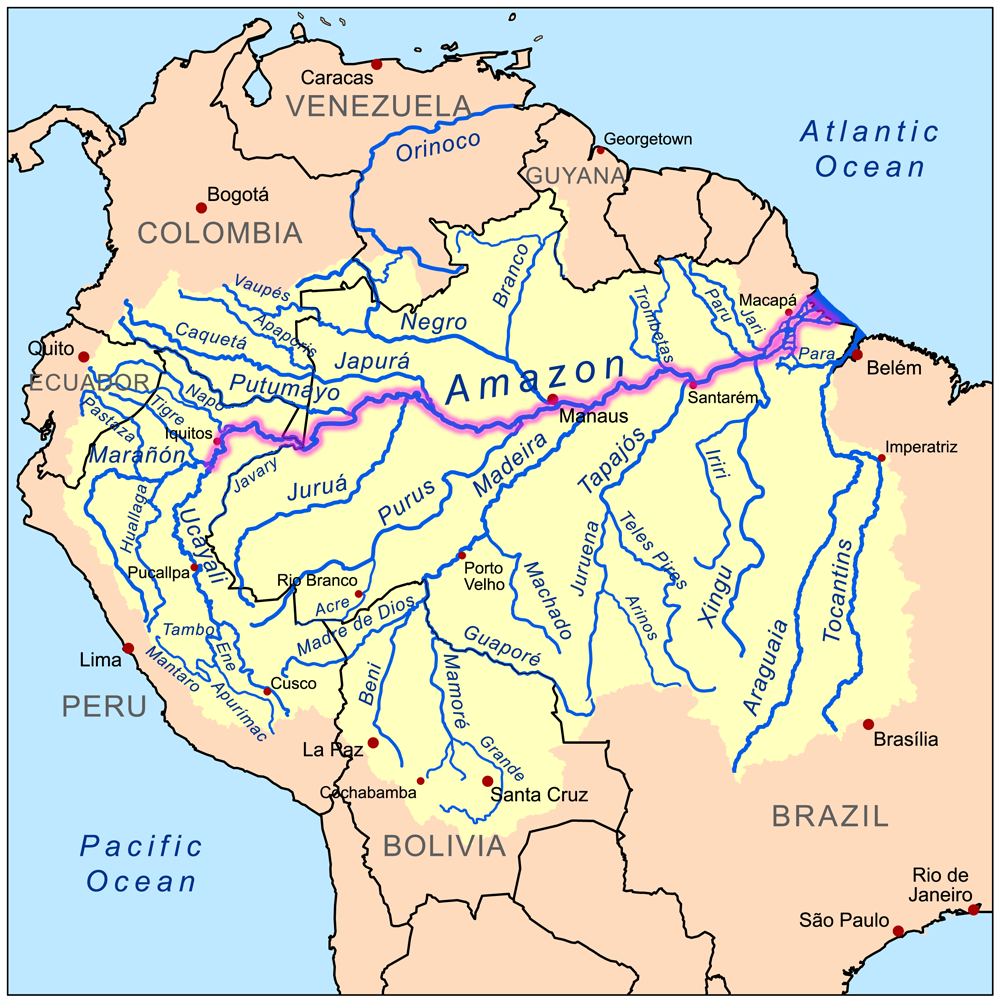

http://en.wikipedia.org/wiki/Amazon_River#mediaviewer/File:Amazonrivermap.png

Does anyone know -- is png a type of file that the formula IMG SRC="PASTE URL HERE" does not work with?
As you can see, I have a lot to learn
IMG SRC="PASTE URL HERE"
How to do it:
Instead of copying what appears in your browser's address bar at the top (http://en.wikipedia.org/wiki/Amazon_River#mediaviewer/File:Amazonrivermap.png), you need to right click on the picture and choose "copy image location" which is this URL: http://upload.wikimedia.org/wikipedia/commons/8/80/Amazonrivermap.png
{IMG SRC="http://upload.wikimedia.org/wikipedia/commons/8/80/Amazonrivermap.png" HEIGHT="600"}
Thanks to Eliz_M for telling me how to do this.

