
1timspalding
We've just released a major upgrade to LibraryThing cataloging: "Edit History" is a full tracking of all changes you make to your book data, with a "Restore" button to revert to past changes.
Although the feature is new, we've been silently tracking edits since July 8, 2025. Some edits before that date were tracked, but most were not.
The feature is accessible from two locations—on individual books and a comprehensive edit history of all your books.
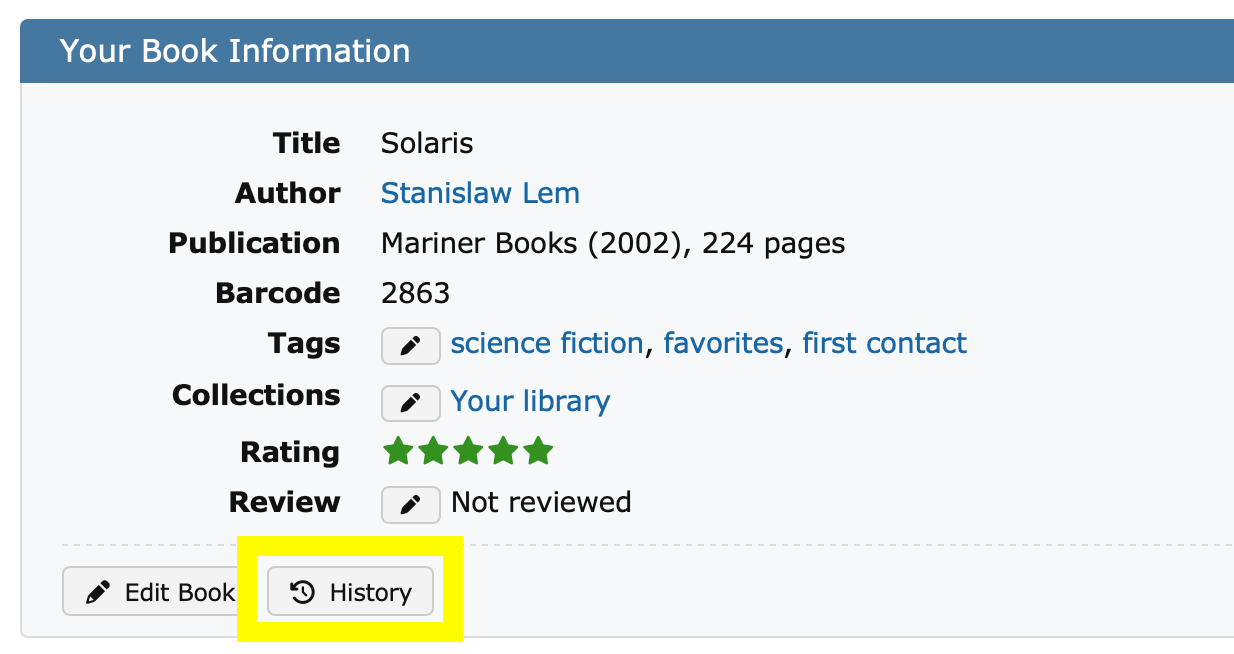
To get to Edit History for a book, go to the "Your Book Information" area on a book/work page and see the "History" button. There's also a button on the "Edit Book" page.
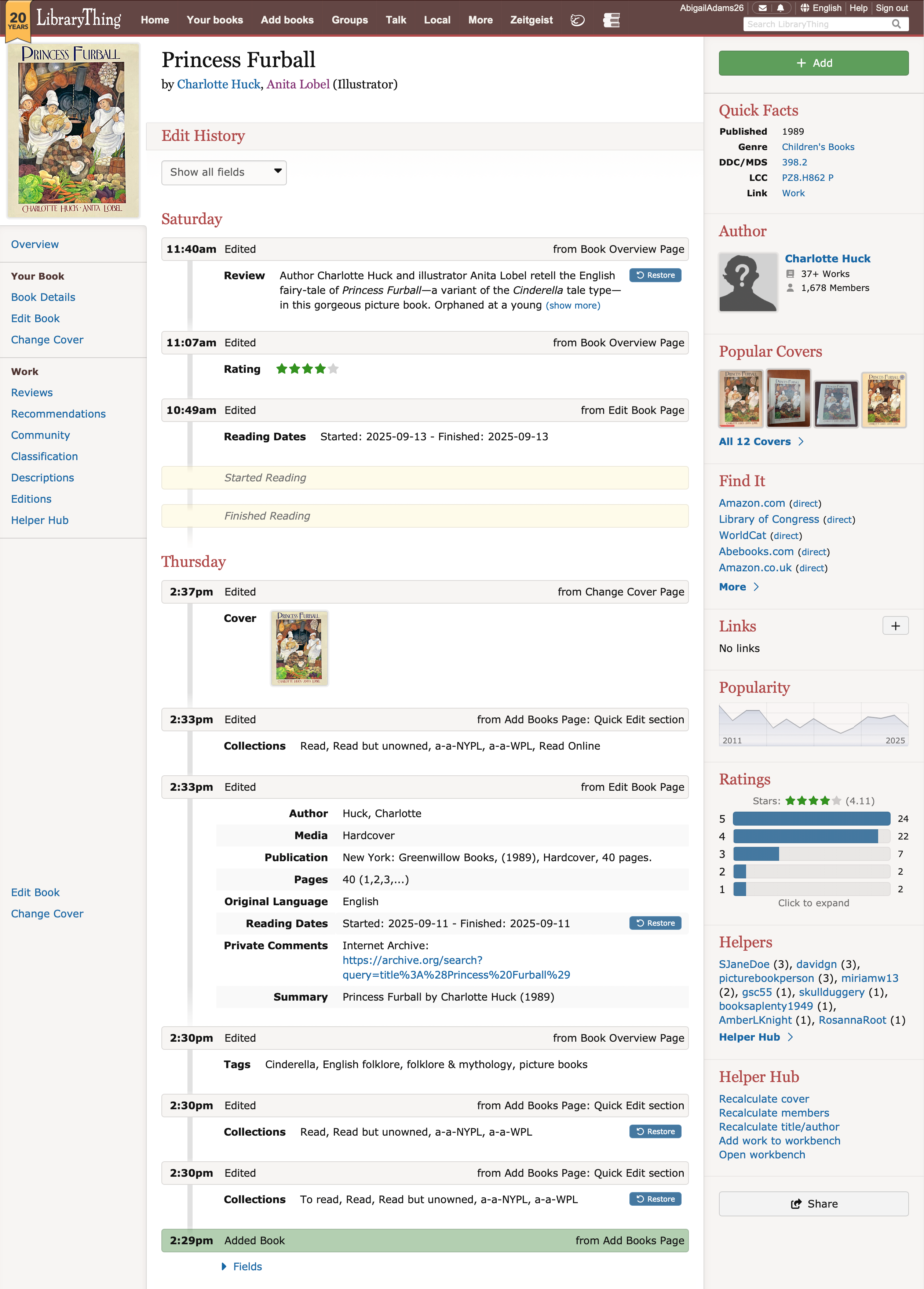
Your Edit History will look something like this (click image to enlarge). As you can see, every edit is tracked by field, and shows how and where you made the edit. Past edits have a "Restore" button that restores the previous value.
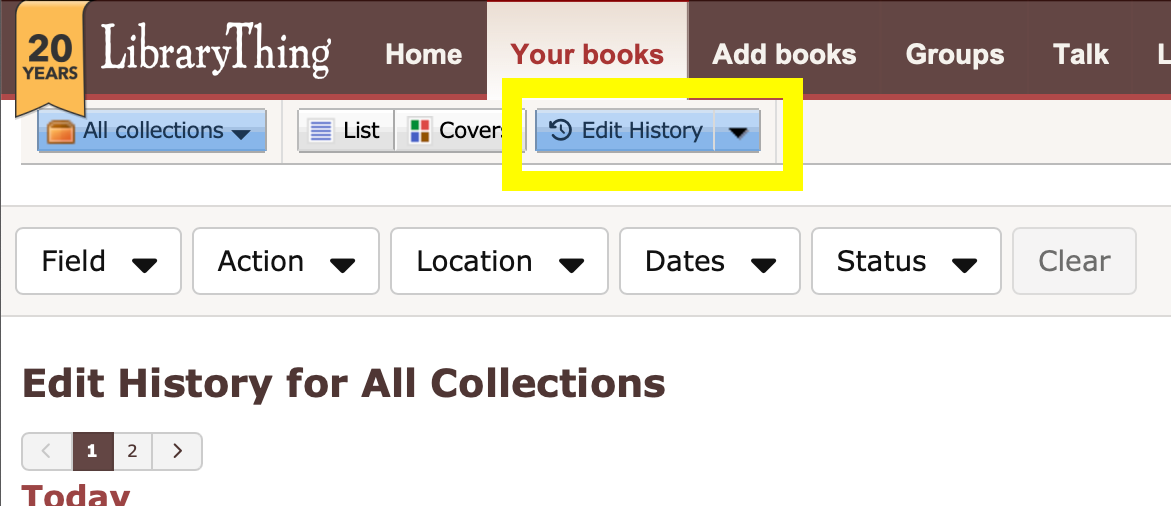
The Edit History for your entire library is available within Your Books. Choose "Edit History" on the drop-down here.
The result shows all the edits for the collection you are in (click image to enlarge).
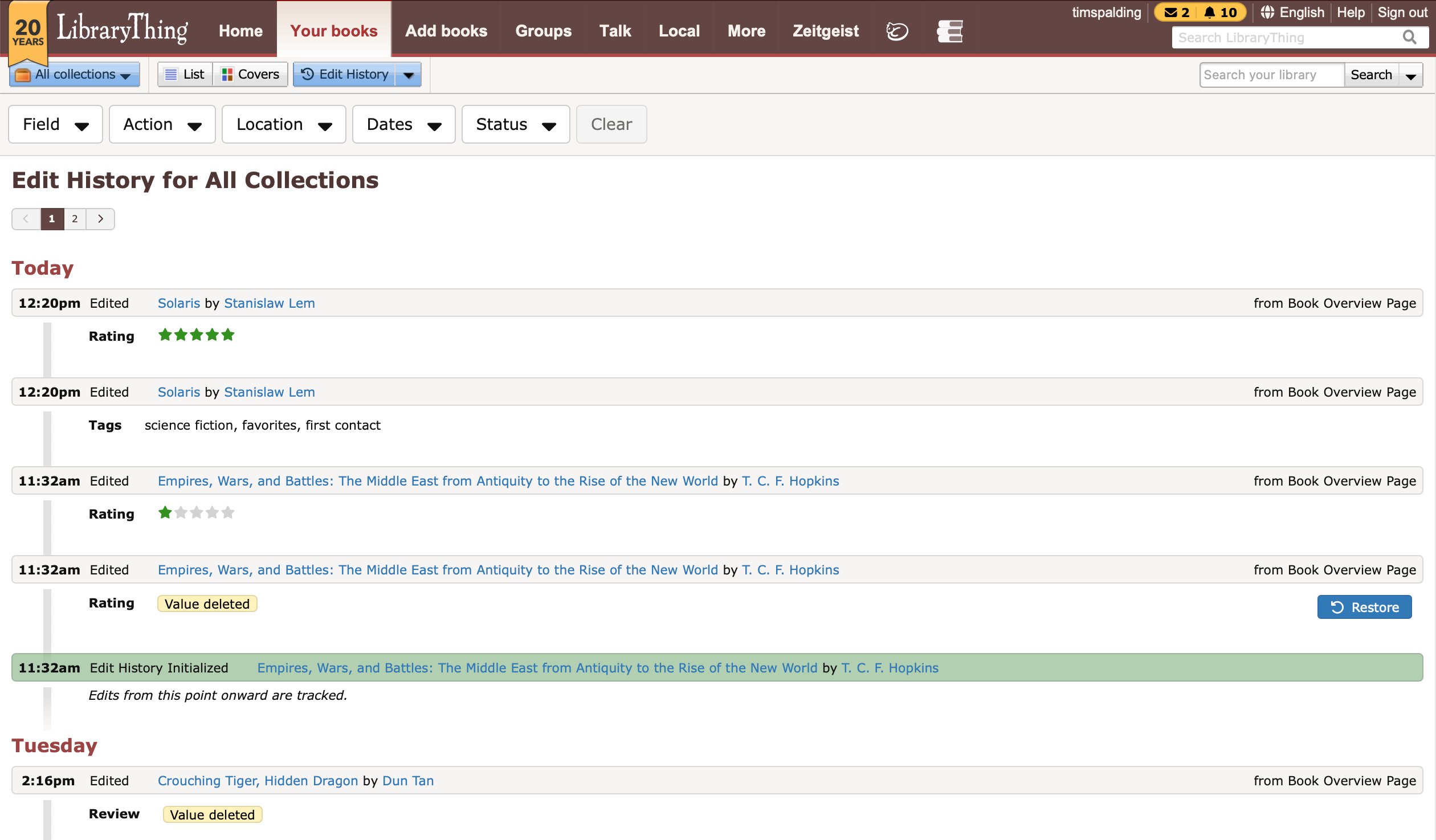
You can also click here to see your full Edit History.
The Edit History for a book begins whenever you add a new book or make an edit to an old one. For older books, this is marked as "Edit History Initialized." As noted, this tracking began on July 8, 2025. A few fields were tracked before that, including Review, Rating, and From Where? These edits are noted in yellow on the Edit History of individual books, but are not restorable. Your Edit History is not viewable to any other members.
We are also displaying Started/Finished Reading dates; these are event markers, rather than edits.
Future Improvements
In the near future we plan to add more ways to restore previous states from the edit history, including adding a way to restore deleted books and see all changes from the original source (e.g., the original Amazon or library record) for older books.
At present imports are not tracked until you make an edit to the book. Unfortunately this system has been developed at the same time as a revamp of the import system, and we did not want to do all the work twice. When the new import system arrives, it will include full import tracking.
The work here was mostly done by @knerd.knitter, with the interface by @conceptdawg. It took a while to do; it was some pretty great coding!
Let us know what you think!
Although the feature is new, we've been silently tracking edits since July 8, 2025. Some edits before that date were tracked, but most were not.
The feature is accessible from two locations—on individual books and a comprehensive edit history of all your books.
To get to Edit History for a book, go to the "Your Book Information" area on a book/work page and see the "History" button. There's also a button on the "Edit Book" page.

Your Edit History will look something like this (click image to enlarge). As you can see, every edit is tracked by field, and shows how and where you made the edit. Past edits have a "Restore" button that restores the previous value.

The Edit History for your entire library is available within Your Books. Choose "Edit History" on the drop-down here.

The result shows all the edits for the collection you are in (click image to enlarge).

You can also click here to see your full Edit History.
The Edit History for a book begins whenever you add a new book or make an edit to an old one. For older books, this is marked as "Edit History Initialized." As noted, this tracking began on July 8, 2025. A few fields were tracked before that, including Review, Rating, and From Where? These edits are noted in yellow on the Edit History of individual books, but are not restorable. Your Edit History is not viewable to any other members.
We are also displaying Started/Finished Reading dates; these are event markers, rather than edits.
Future Improvements
In the near future we plan to add more ways to restore previous states from the edit history, including adding a way to restore deleted books and see all changes from the original source (e.g., the original Amazon or library record) for older books.
At present imports are not tracked until you make an edit to the book. Unfortunately this system has been developed at the same time as a revamp of the import system, and we did not want to do all the work twice. When the new import system arrives, it will include full import tracking.
The work here was mostly done by @knerd.knitter, with the interface by @conceptdawg. It took a while to do; it was some pretty great coding!
Let us know what you think!
2SandraArdnas
Wow, that looks awesome and useful.
3Charon07
Very cool, but did somebody forget to throw the switch to turn on “Edit History” on the Your Books page? I tried logging out and clearing my cache, but I’m still not seeing it.
4knerd.knitter
On Your Books, you have to click the arrow to get the dropdown that contains Tags, Authors, Series, etc. and it's at the bottom of that. Are you not seeing it there?
5Charon07
>4 knerd.knitter: Oh, I see it now! I didn’t grok that it was on that dropdown. Very cool!
6Petroglyph
Very cool. Playing around with it now
7Karlstar
Nice, this will be super handy! To test the new feature, I changed the rating on a book, just the rating and saved. The edit history says I changed the rating, but also says Pages Value deleted. Checking the book, it had no value in the Pages field. I put the rating back, same message for Pages.
I did another test, this message appears to indicate that the Pages field is blank, though I did not change it. Could you make that clearer or eliminate it?
I did another test, this message appears to indicate that the Pages field is blank, though I did not change it. Could you make that clearer or eliminate it?
8conceptDawg
I notice that there are some layout issues on mobile devices. And i can see this because I am currently away from my desk looking at it on my phone and can’t get back to fix the problems at this moment.
By I promise they will be corrected as soon as I can navigate Houston traffic and get home.
By I promise they will be corrected as soon as I can navigate Houston traffic and get home.
9norabelle414
Looks great. It would be nice if all the collections edits could be lumped together instead of one per collection, but it's not the end of the world.
I will wait patiently for the book-restoring feature because I accidentally deleted an old read-but-unowned book last week and I don't care enough to ask staff to un-delete it but I would if I could just push a button
>8 conceptDawg: as soon as I can navigate Houston traffic
So two weeks then? 😂
I will wait patiently for the book-restoring feature because I accidentally deleted an old read-but-unowned book last week and I don't care enough to ask staff to un-delete it but I would if I could just push a button
>8 conceptDawg: as soon as I can navigate Houston traffic
So two weeks then? 😂
10knerd.knitter
>7 Karlstar: Thanks for the feedback. I made a change that will hopefully prevent that in the future, but I see you changed the pages on it now, so I can't verify that it fixed your problem.
11PawsforThought
>8 conceptDawg: Don’t use your phone while driving, please!
12conceptDawg
>9 norabelle414:
Mobile view should look much better now, with no overlapping sections.
Sorry, one of our changes didn't quite go through the update correctly, but it's corrected now.
>11 PawsforThought:
I wasn't looking at it while driving, just in a parking garage before starting my journey back to the house.
Mobile view should look much better now, with no overlapping sections.
Sorry, one of our changes didn't quite go through the update correctly, but it's corrected now.
>11 PawsforThought:
I wasn't looking at it while driving, just in a parking garage before starting my journey back to the house.
13Karlstar
>10 knerd.knitter: I identified another book with that same behavior so I could test your fix. I can confirm it is fixed for me.
14GraceCollection
Exciting stuff! Thanks LT team!
16gilroy
After poking into the history, I have a question:
Will this allow for restoring a book that was deleted by accident?
Will this allow for restoring a book that was deleted by accident?
17keristars
>16 gilroy: restoring deleted books is a future improvement, not yet but on the way! :)
18Micheller7
A question: Several years ago the was some sort of LT outage and Common Knowledge entered during a few day time span was lost. I had entered a new book to my catalog. It was recovered, but all the other entries during the period were lost. Will this bring them back? Will this prevent a future such problem?
19timspalding
>18 Micheller7:
It may well help. It does not, however, cover Common Knowledge or any other "global" or "work-level" feature. This is only about book-level data.
It would not have helped that particular outage, which involved a replication problem in our database cluster. Since then, however, we have significantly upgraded our database system.
It may well help. It does not, however, cover Common Knowledge or any other "global" or "work-level" feature. This is only about book-level data.
It would not have helped that particular outage, which involved a replication problem in our database cluster. Since then, however, we have significantly upgraded our database system.
20HsuBattery
Since you have all of the original data, this feature is a prerequisite for the "Add Books from Other Members" technology, right?
21anglemark
@timspalding I have said this before but I reiterate: Never use the same English string in different contexts in the interface. That makes translation not just hard but sometimes impossible. Languages do not map 1-1, as well you know.
Now you have reused the string Location, previously used to indicate where a member lives, in the Edit history feature to indicated a location on the LT website. These are two different words in most languages.
And the string History is used both for logging (as in edit history) and for the subject History. These are also two different words in many languages. There are more examples of this kind that I have pointed out before.
I know using an existing string is very tempting for a programmer, but it's really bad practice for internationalization.
Now you have reused the string Location, previously used to indicate where a member lives, in the Edit history feature to indicated a location on the LT website. These are two different words in most languages.
And the string History is used both for logging (as in edit history) and for the subject History. These are also two different words in many languages. There are more examples of this kind that I have pointed out before.
I know using an existing string is very tempting for a programmer, but it's really bad practice for internationalization.
22HsuBattery
And the string "Value" in the Collector fields must also be used somewhere else but I don't remember where.
23humouress
If you restore something and then decide it was wrong, would you be able to ... um ... unrestore it?
24Karlstar
Some edits have a 'Restore' button, some do not. I see that in Tim's example in the State of the Thing message. For the books I've been using for testing, some have no Restore button at all. Could someone explain how that works?
25knerd.knitter
>23 humouress: Yes, you can always restore to the previous value.
>24 Karlstar: It only has a Restore button if that edit is different from the current value of that field. At least that's how it's supposed to work.
>24 Karlstar: It only has a Restore button if that edit is different from the current value of that field. At least that's how it's supposed to work.
26timspalding
>21 anglemark: Thanks, we know. It can be tricky to catch it.
@knerd.knitter can you address? You address it with the \Note: xyz\ logic.
@knerd.knitter can you address? You address it with the \Note: xyz\ logic.
27knerd.knitter
>21 anglemark: >26 timspalding: Added notes for the two uses of Location and History to indicate their meaning more specifically.
28HsuBattery
@knerd.knitter Please add the two uses of "Value" in the Edit book→Collector and CK changelog ( https://www.librarything.com/commonknowledge/search.php )
29knerd.knitter
>28 HsuBattery: Hopefully I got all the places for the collector field...
30anglemark
"Event" used to be another one, although I think the clash is gone for the moment as the Local Events feature has been deprecated. But an event in history and an event you organize are two very different things.
>28 HsuBattery: This problem is obviously much worse for unrelated languages like Chinese than it is for Swedish, a close cousin of English.
>28 HsuBattery: This problem is obviously much worse for unrelated languages like Chinese than it is for Swedish, a close cousin of English.
31knerd.knitter
UPDATE: We have added the ability to undelete a deleted book via the Edit History page in the Catalog. You can now undelete any books that have been deleted since July 8, 2025 (when we started tracking all the edits for books).
If the book was deleted prior to October 1, 2025, you will get a popup that will ask if you want to restore the Review and Tags. (Books deleted after this release will have that information stored so that we won’t need to ask the question.)
This release also includes some updates to the styling on the edit history page so it looks a little nicer.
If the book was deleted prior to October 1, 2025, you will get a popup that will ask if you want to restore the Review and Tags. (Books deleted after this release will have that information stored so that we won’t need to ask the question.)
This release also includes some updates to the styling on the edit history page so it looks a little nicer.
32norabelle414
>31 knerd.knitter: Undelete works great, thanks :-)
Suggestion for a tweak that would make the edit history page look nicer: since rating a book with a half-star involves clicking the full star first (e.g. to rate a book 4.5 stars you have to click 5 stars first then click it again to get 4.5), every book with a half-star rating shows that it was rated twice. It would be nice if the first rating didn't appear if it was changed again within a couple seconds
Suggestion for a tweak that would make the edit history page look nicer: since rating a book with a half-star involves clicking the full star first (e.g. to rate a book 4.5 stars you have to click 5 stars first then click it again to get 4.5), every book with a half-star rating shows that it was rated twice. It would be nice if the first rating didn't appear if it was changed again within a couple seconds
33johansunskelista
>31 knerd.knitter: If the book was deleted prior to yesterday,
Is this "If the book was deleted prior to Oct 1, 2025" or "If the book was deleted more than one day ago"? I. e., is it an absolute or a relative reference?
Is this "If the book was deleted prior to Oct 1, 2025" or "If the book was deleted more than one day ago"? I. e., is it an absolute or a relative reference?
34knerd.knitter
>33 johansunskelista: Ah, good point. If it was deleted prior to October 1, 2025. I will update my post.
35anglemark
>34 knerd.knitter: In that case (yes, that was me, using my wishlist account), because strings sometimes do not appear in the translation interface until the graphical module where they are used is displayed to a user, can you help me somehow to translate the popup that asks if I want to restore the review and tags into Swedish? I did not delete any books between July 8 and October 1, so I will never see that string, and thus I won't be able to translate it until someone else, one day, uses the Swedish interface to restore a book deleted in that timespan.
36lh_atomicbook
>35 anglemark: Okay, I hit that lightbox when in Swedish so the message should hopefully be in the translates.
37knerd.knitter
>35 anglemark: Okay, I hit that lightbox when in Swedish so the message should hopefully be in the translates.
>36 lh_atomicbook: was a test account.
>36 lh_atomicbook: was a test account.
39AnishaInkspill
I just found this page, took a look and found more features that I hadn't noticed before. This is much more a fun platform to use.
40timspalding
It is possible to undelete books before that data, but it requires some special work on our side. I'm wondering the best way to communicate that.
41GraceCollection
So just to clarify, if I delete a book right now and decide 5 years later I want that record back, I will now be able to do that? Will the accession date show as the date I originally catalogued the book, or as the date I undelete it?
Do deletes still retroactively reduce the amount of books you have in charts and graphs (for example, if I delete 5 books today, my Charts & Graphs won't say 'October 2 - 1,539, October 3 - 1,534' but instead will never have reached 1,539 at all)?
I still have a pony that someday we will be able to delete and have an icon that shows up in the same places the green checkmark for 'you own this book' show, that will mean 'you had this book once upon a time but deaccessioned it' — maybe a red x?
Do deletes still retroactively reduce the amount of books you have in charts and graphs (for example, if I delete 5 books today, my Charts & Graphs won't say 'October 2 - 1,539, October 3 - 1,534' but instead will never have reached 1,539 at all)?
I still have a pony that someday we will be able to delete and have an icon that shows up in the same places the green checkmark for 'you own this book' show, that will mean 'you had this book once upon a time but deaccessioned it' — maybe a red x?
42knerd.knitter
>41 GraceCollection:
if I delete a book right now and decide 5 years later I want that record back, I will now be able to do that? Yes
Will the accession date show as the date I originally catalogued the book, or as the date I undelete it? The entry date will be the date you originally added it
Do deletes still retroactively reduce the amount of books you have in charts and graphs Yes
if I delete a book right now and decide 5 years later I want that record back, I will now be able to do that? Yes
Will the accession date show as the date I originally catalogued the book, or as the date I undelete it? The entry date will be the date you originally added it
Do deletes still retroactively reduce the amount of books you have in charts and graphs Yes
43GraceCollection
>42 knerd.knitter: Thanks so much for the answers!!
45ianreads
This is great!
This almost gets us a sorted by last-modified view of our catalogue, but not quite! Is there a straightforward way to add a view/sort like that?
This almost gets us a sorted by last-modified view of our catalogue, but not quite! Is there a straightforward way to add a view/sort like that?

